
I spent a decade in corporate logistics, and if there’s one thing I learned, it’s that most “solutions” are just more friction disguised as progress. I’m tired of seeing people drop two hundred dollars on overpriced blue-light glasses or complex software that promises to fix everything with a single click. If you’re looking for a magic pill to solve how to reduce eye strain from screens, you’re wasting your time. The truth is, your eyes aren’t broken; your environment is just poorly optimized for the way you actually work.
I’m not here to sell you a gadget or a complicated ten-step morning ritual. Instead, I want to show you how to apply a bit of systems engineering to your workspace to strip away the physical tension that builds up by 3:00 PM. We’re going to focus on practical, low-cost adjustments to your lighting, positioning, and habits that actually work in the real world. My goal is to help you build a setup that serves your focus rather than draining your energy.
Table of Contents
Mastering the 20 20 20 Rule for Eye Health

Most people treat the 20-20-20 rule for eye health like some optional suggestion, but in my experience, it’s the most effective low-tech system you can implement. The concept is straightforward: every 20 minutes, look at something at least 20 feet away for at least 20 seconds. It sounds almost too simple to work, but it’s actually about breaking the static focal lock that happens when we stare intensely at a monitor. By forcing your eye muscles to relax and refocus on a distant object, you’re essentially hitting a reset button on the tension that builds up during a long workday.
I’ve found that the biggest hurdle isn’t the rule itself, but the cognitive load of remembering to do it. If you’re deep in a flow state, you won’t notice the strain until you’re already feeling those nagging computer vision syndrome symptoms. To make this a seamless part of your routine, I recommend setting a subtle, non-intrusive timer or using a simple desktop app that nudges you. Don’t wait for your eyes to feel heavy or dry; build the break into your workflow so it becomes as automatic as taking a sip of coffee.
Fixing Your Ergonomic Workstation Setup for Real World Use
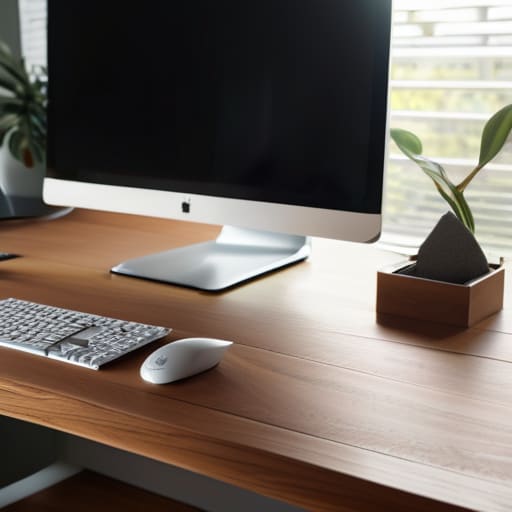
Most people treat their desk like a temporary landing pad rather than a tool for productivity. If you’re hunched over a laptop or staring at a monitor that’s too high, you’re creating constant friction for your nervous system. A proper ergonomic workstation setup isn’t about buying a thousand-dollar chair; it’s about alignment. Your eyes should be level with the top third of your screen, and your monitor should be about an arm’s length away. If you’re constantly squinting or leaning forward, your setup is working against you, not for you.
Don’t overlook the subtle environmental factors that trigger computer vision syndrome symptoms. I’ve found that adjusting screen brightness and contrast to match the ambient light in the room is a game changer. If your screen is a glowing lightbox in a dark room, you’re asking for a headache. Keep the light levels balanced. It’s a simple system tweak that prevents your eyes from having to fight through unnecessary glare all day long.
Three Low-Friction Tweaks to Your Digital Environment
- Stop fighting the glare. If you see a reflection of a window or a lamp on your monitor, you’re forcing your eyes to work twice as hard to resolve the image. Adjust your desk position or grab a matte screen protector; it’s a small change that removes a massive amount of visual friction.
- Dial in your lighting. Working in a dark room with a bright screen is a recipe for a headache. You want ambient light that matches the brightness of your monitor. If your screen feels like a spotlight in a dark cave, your eyes are going to burn by noon.
- Clean your gear. This sounds trivial, but a layer of dust and fingerprints on your screen scatters light and creates a hazy effect that makes your eyes strain to find focus. Keep a microfiber cloth in your drawer and wipe it down once a week. It’s a five-second task that keeps your visual input crisp.
The Bottom Line: Reducing Friction for Your Eyes
Don’t wait for a headache to act; treat your eye health like any other system by building small, non-negotiable habits like the 20-20-20 rule into your daily workflow.
Optimization isn’t about buying the most expensive gear; it’s about adjusting your immediate environment—lighting, screen distance, and posture—so your body doesn’t have to fight your workspace.
## The Philosophy of Visual Friction
“We treat eye strain like an inevitable tax on modern work, but it doesn’t have to be. Stop trying to power through the discomfort and start adjusting the systems around you; your setup should be working to protect your focus, not draining your energy.”
Gregory Scott Miller
Cutting Through the Digital Friction
At the end of the day, reducing eye strain isn’t about buying a fancy new monitor or downloading some complex wellness app. It’s about the small, intentional adjustments we discussed: implementing the 20-20-20 rule, fixing your workstation ergonomics, and managing your lighting so it works with you rather than against you. When you treat your workspace like a system that needs regular tuning, you stop fighting your tools and start actually using them. It’s about eliminating the friction that causes physical fatigue before it turns into a long-term headache.
Don’t feel like you have to overhaul your entire life by tomorrow morning. Just pick one thing—maybe it’s adjusting your screen height or setting a recurring timer—and get it right. My goal isn’t to give you more chores; it’s to help you build an environment that supports your focus. Once you optimize your surroundings, you free up the mental bandwidth to focus on the work that actually matters. Stop letting your setup drain you, and start making your space serve you.