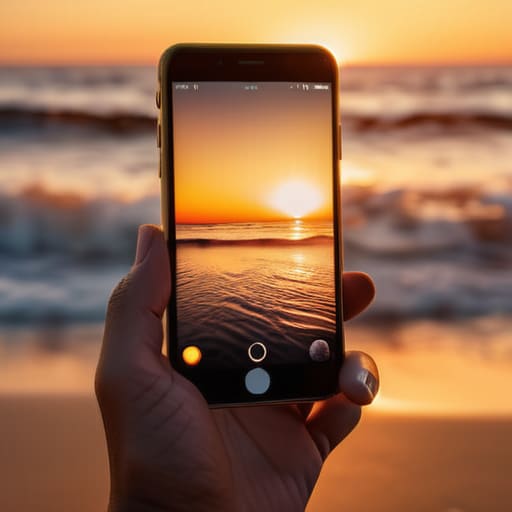

I was out in the garden last weekend, trying to capture the way the light hit a new heirloom tomato plant, when I realized I was spending more time scrolling through editing apps than actually enjoying the afternoon. We’ve been sold this lie that you need a $1,200 flagship device or a dozen complex filters to get a decent shot. It’s nonsense. Most people aren’t failing because of their hardware; they’re failing because they’re fighting their equipment instead of understanding the basics of how to take better phone photos.
I’m not here to sell you on a new subscription or a complicated “pro mode” workflow that takes twenty minutes to execute. My approach is much simpler: we’re going to strip away the digital noise and focus on the fundamental mechanics—light, composition, and stability. I’m going to show you a few high-leverage adjustments that will immediately improve your results without adding any friction to your life. Let’s get to work.
Table of Contents
Mastering Smartphone Lighting Techniques Without the Extra Baggage

Look, you don’t need a $2,000 lighting kit or a ring light taking up space in your junk drawer to get a clean shot. Most people make the mistake of fighting the light, trying to force a scene to look a certain way when the solution is actually much simpler. My rule of thumb? Find the natural light and move toward it. If you’re indoors, ditch the overhead lights—they create harsh, unflattering shadows that make everything look amateur. Instead, head toward a window. That soft, directional light is your best friend for improving smartphone image quality without any extra gear.
When you are out in the field, pay attention to the sun’s position. Avoid the midday glare that washes everything out; it’s too aggressive. I prefer the “golden hour” or even a slightly overcast day, which acts like a massive, natural softbox. If you find yourself in a tricky spot, don’t reach for a complex app—just adjust your angle. Sometimes, a slight shift in where you stand is more effective than any of the advanced smartphone lighting techniques you’ll find in a manual. Keep it simple: seek the soft light, avoid the glare, and let the environment do the heavy lifting for you.
Using Smartphone Camera Settings to Strip Away the Friction

Most people treat their phone camera like a point-and-shoot toy, letting the software make every single decision. If you want to stop fighting your hardware, you need to start using smartphone camera settings to your advantage rather than letting them run wild. I always tell my clients that the best system is the one that requires the least amount of correction later. Start by turning off that aggressive “beauty mode” or AI skin smoothing; it’s nothing but digital clutter that destroys detail. Instead, focus on locking your exposure. Tap your subject on the screen and slide that little sun icon down just a notch. It’s a small tweak, but it prevents the highlights from blowing out and instantly results in improving smartphone image quality by preserving the actual texture of the scene.
Once you’ve stabilized the light, don’t go hunting for a dozen complex apps to fix your mistakes. I’ve found that most people over-process their shots until they look plastic. If you’re looking for efficiency, stick to the basics: adjust the contrast, pull back a bit of the shadows, and call it a day. My rule of thumb is that the best workflow is the one you actually finish. If you spend twenty minutes editing a single snapshot, your system has failed. Set your focus, lock your exposure, and get back to the moment.
Three ways to cut the noise and focus on the shot
- Stop zooming with your fingers. Digital zoom is just a fancy way of cropping and losing detail; it creates grain and makes your photos look cheap. If you want a closer shot, move your feet. It’s a simple physical adjustment that keeps your resolution high and your image sharp.
- Clean your lens before you even think about framing the shot. I see this all the time—blurry, hazy photos that look like they were taken through a fog. Your phone lives in your pocket or your hand; it’s covered in fingerprints. A quick wipe with a clean shirt or a microfiber cloth eliminates that “dreamy” smudge and brings the clarity back instantly.
- Use the grid, but don’t let it dictate your life. Turn on the rule-of-thirds grid in your settings to help you find a sense of balance, but don’t get paralyzed by it. Use those lines to place your subject off-center to create tension or use them to keep your horizon straight. It’s a tool for stability, not a set of rigid laws.
The bottom line
Stop chasing complex gear and start mastering what you already have; better photos come from understanding light and cleaning your lens, not from buying a new app.
Simplify your setup by locking in your essential settings so you can stop fiddling with menus and start capturing the moment before it passes.
## The core principle
“Most people think great photography is about buying the right gear; in reality, it’s about removing the distractions between your eye and the subject. If your settings are fighting you and your lens is smudged, you aren’t capturing a moment—you’re just managing a technical failure.”
Gregory Scott Miller
Stop Overthinking the Gear
At the end of the day, better photos aren’t about owning the latest flagship device or downloading a dozen heavy editing apps. It comes down to the basics we’ve covered: finding the right light, cleaning that lens, and stripping away the technical friction by mastering your native settings. When you stop fighting your hardware and start working with the systems already in your pocket, you stop being a technician and start being a photographer. Keep your workflow lean and intentional, and the results will follow.
My advice is simple: don’t let the pursuit of the “perfect shot” rob you of the moment itself. The goal isn’t to produce professional-grade art every single time you pull your phone out; the goal is to capture your life without it feeling like a chore. Use these systems to reclaim your time and your focus. Once the settings are dialed in and the lighting is understood, you can put the phone down and get back to the actual experience. That is where the real value lies.