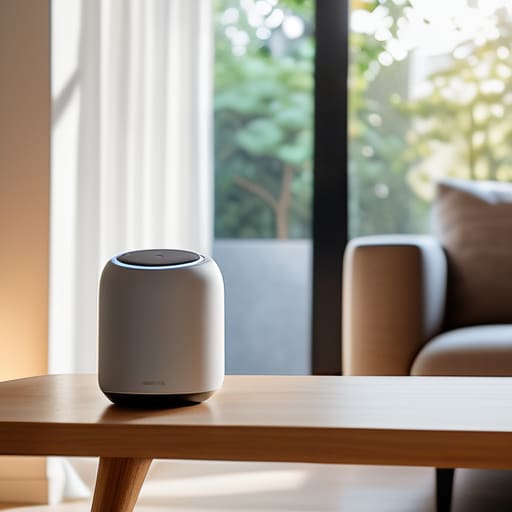

I spent three hours last weekend troubleshooting a “smart” lightbulb that refused to connect to my network, only to realize I was standing in the dark because I’d over-engineered my own living room. Most advice out there regarding a smart home for beginners makes it sound like you need a degree in computer science and a massive budget to get started. They want you to believe you need a dozen different hubs, expensive sensors, and a complex web of apps just to turn off the kitchen lights. Honestly? That’s not a smart home; that’s just more work.
I’m not here to sell you on the latest shiny gadget or a lifestyle you’ll eventually abandon because it’s too high-maintenance. Instead, I want to show you how to build a system that actually reduces your daily friction. I’m going to walk you through a pragmatic, step-by-step approach to setting up a smart home for beginners by focusing on utility over novelty. We’re going to strip away the fluff and focus on the few, reliable tools that will actually serve you and give you back your time.
Table of Contents
Choosing Your Foundation a Smart Home Ecosystem Comparison

Before you buy a single bulb or plug, you need to decide on your “brain.” In my experience, the biggest mistake people make is buying devices that don’t talk to each other. This is where a smart home ecosystem comparison becomes vital. You aren’t just buying gadgets; you’re choosing a language. Whether you lean toward Amazon Alexa, Google Home, or Apple HomeKit, your choice dictates your voice assistant compatibility and how easily you can eventually scale up.
I always tell my clients to pick one primary platform and stick to it. If you try to bridge three different ecosystems from day one, you’re just adding friction, not efficiency. When you’re setting up a smart home hub, look for one that acts as a stable anchor rather than a source of constant troubleshooting. Keep it simple: pick a platform that fits the phone in your pocket, and ensure every new device you bring home speaks that same language.
Setting Up a Smart Home Hub Without the Friction
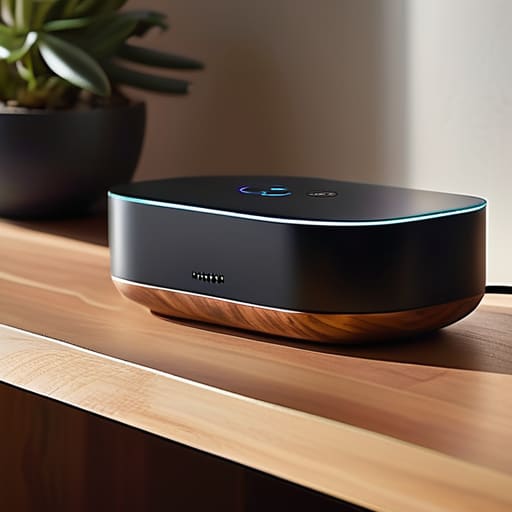
Once you’ve decided on your ecosystem, the next step is setting up a smart home hub without turning your living room into a server farm. I see people make the mistake of buying five different bridges and controllers, thinking more hardware equals more control. In reality, that just creates more points of failure and more clutter. My approach is simple: pick one central brain—whether it’s a dedicated smart speaker or a streamlined hub—and make sure it has high voice assistant compatibility with everything else you plan to buy.
The goal here isn’t technical complexity; it’s about reducing the number of apps you have to open. If you have to jump between three different interfaces just to dim the lights and check the front door, you haven’t built a system—you’ve built a chore. I always tell my clients to test the integration before they commit. If a device doesn’t talk to your hub seamlessly right out of the box, leave it on the shelf. You want a system that works in the background, not one that demands your constant attention.
Three Rules to Keep Your Tech from Becoming a Chore
- Focus on “Invisible” Automation. Don’t buy a smart bulb just because you can control it with your phone; that’s actually more work. Instead, look for devices that solve a recurring friction point—like a motion sensor that turns on a hallway light at 2 AM so you aren’t fumbling for a switch. If you have to open an app to make it work, you’ve already lost.
- Prioritize Interoperability Over Brand Loyalty. It’s tempting to buy everything from one manufacturer to keep things simple, but you’ll eventually hit a wall. Look for the “Matter” or “Thread” labels on packaging. These are the industry standards that ensure your devices actually talk to each other, regardless of who made them. You want a system that scales, not a walled garden that keeps you trapped.
- Audit Your Connectivity Before You Buy. I’ve seen too many people buy a dozen smart plugs only to realize their Wi-Fi router is struggling to handle the load. Before you add more hardware, check your signal strength in the areas you want to automate. If your mesh network isn’t solid, your “smart” home will just be a collection of devices that are perpetually offline.
The Bottom Line
Prioritize interoperability over novelty; if a device doesn’t play well with your existing ecosystem, it’s just more digital clutter you’ll eventually have to troubleshoot.
Start small and solve real problems—use automation to fix specific daily frictions, like lighting or temperature, rather than buying tech just for the sake of having it.
The Golden Rule of Automation
A smart home shouldn’t be a collection of toys that demand your attention; it should be a silent infrastructure that handles the friction of life so you can actually live it.
Gregory Scott Miller
Build for Utility, Not Novelty
At the end of the day, building a smart home isn’t about having a house that talks to you; it’s about having a house that actually works for you. We’ve covered the essentials: choosing an ecosystem that won’t lock you into a corner, selecting a reliable hub, and keeping your setup focused on solving real problems. Remember, the goal isn’t to own every new sensor that hits the market. It’s to build a foundation of reliable, interoperable systems that quietly handle the friction of your daily life so you don’t have to.
Don’t feel like you need to automate your entire life by next weekend. Start small, test your systems, and only add what truly provides value. A smart home should feel like a well-oiled machine, not a second job that requires constant troubleshooting. If a device adds more complexity than it removes, get rid of it. Focus on the systems that give you back your time and mental space. That is where the real magic happens.