

I was sitting at my workbench last Tuesday, mid-way through stripping the rust off an old Stanley plane, when a notification popped up on my phone. It looked like a legitimate discount from one of my usual hardware suppliers, but something felt off—the font was slightly heavy, and the link looked like a jumble of random characters. I almost clicked it before my gut kicked in. Most people think you need some expensive cybersecurity suite or a PhD in computer science to stay safe online, but that’s a load of nonsense. Learning how to spot a fake website isn’t about high-tech software; it’s about building a better mental filter to catch the friction before it costs you money.
I’m not here to sell you on a subscription or drown you in technical jargon that won’t help when you’re actually browsing. Instead, I’m going to give you a straightforward system of red flags and quick checks that I use to protect my own digital space. We’re going to strip away the confusion and focus on the practical, real-world patterns that scammers use to trip you up. By the end of this, you’ll have the tools to navigate the web with total confidence and zero wasted energy.
Table of Contents
Identifying Fraudulent Urls and Phishing Website Red Flags

The first thing I do—and what I tell every client who feels overwhelmed by digital clutter—is to look closely at the address bar. Scammers have gotten good at mimicking brand aesthetics, but they almost always stumble when it comes to identifying fraudulent URLs. Look for those subtle, annoying typos: “amaz0n.com” instead of “amazon.com,” or a strange suffix like “.net-security.co” instead of a standard “.com.” If the domain looks like a jumbled mess of random characters, trust your gut and close the tab.
Once you’ve cleared the URL hurdle, you need to look for actual phishing website red flags in the site’s infrastructure. I always suggest checking SSL certificate authenticity by clicking the padlock icon next to the URL. It’s not a silver bullet—even bad actors can get a certificate—but a missing one is an immediate dealbreaker. While you’re at it, take thirty seconds to see how old the site actually is. A quick search on how to check website domain age can reveal if a “retailer” was actually created three days ago. If the site is brand new and claiming to have massive sales, it’s a trap.
Checking Ssl Certificate Authenticity and Website Domain Age
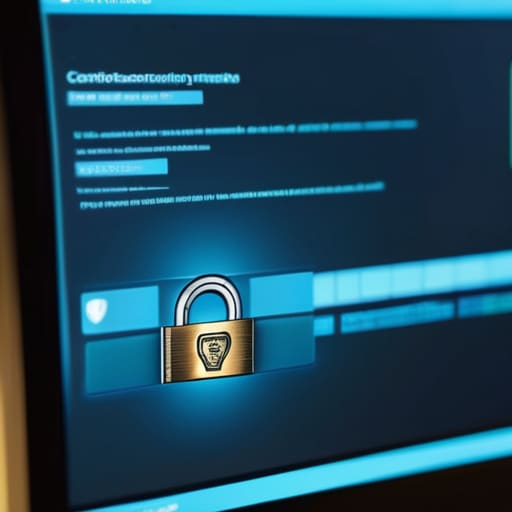
Most people see that little padlock icon in the browser bar and think they’re safe. That’s a mistake. While a secure connection is a baseline requirement, it’s not a guarantee of legitimacy. I always tell my clients that checking SSL certificate authenticity is about looking past the icon. Click that padlock and actually read the details. If the certificate is issued to a name that looks nothing like the company you think you’re visiting, or if it’s a generic, self-signed certificate, walk away. A secure connection just means your data is encrypted; it doesn’t mean the person on the other end isn’t a thief.
Next, you need to look at the timeline. Scammers move fast, setting up shop and vanishing before the trail even gets warm. This is where knowing how to check website domain age becomes a vital part of your digital toolkit. Use a simple WHOIS lookup tool to see when the domain was actually registered. If you’re on a site claiming to be a massive, established retailer, but the domain was registered only three weeks ago, you’re looking at a textbook scam. Real companies don’t just pop into existence overnight; if the history doesn’t match the hype, trust your gut and close the tab.
Three Low-Tech Habits to Sanity-Check Any Site
- Trust your gut on the “vibe” of the design. If you land on a site that looks like it was built in 2004, or if the layout feels frantic with pop-ups and aggressive countdown timers, back away. Real companies invest in a clean, professional user experience; scammers invest in urgency to bypass your critical thinking.
- Verify through a second channel. If you get an email from “your bank” directing you to a site, don’t click the link. Period. Close the tab, open a fresh browser window, and manually type in the bank’s known URL or use their official app. If the “urgent” message doesn’t show up in your official account dashboard, the email was a lie.
- Use a “middleman” to inspect the site. Before you enter any sensitive data, run the URL through a tool like Google Transparency Report or VirusTotal. It’s a quick, two-second check that acts as a digital buffer, letting an established system do the heavy lifting of scanning for known malicious patterns before you expose yourself.
The Bottom Line: Building Your Digital Defense
Trust your gut over the interface; if a site looks “off” or creates a sense of artificial urgency, stop clicking and walk away.
Make verification a habit, not a chore—always double-check the URL and the domain age before you ever hand over your data or your credit card.
## Trust the System, Not the Interface
“A polished design is just a coat of paint; don’t let a clean interface distract you from a broken system. If the URL looks off or the security credentials don’t add up, walk away. In a world of digital friction, your best defense is a healthy dose of skepticism and a refusal to rush the process.”
Gregory Scott Miller
Building Your Digital Defense
At the end of the day, spotting a fake website isn’t about being a cybersecurity expert; it’s about applying a little bit of systematic scrutiny to your digital habits. We’ve covered the essentials: scrutinize the URL for those subtle misspellings, verify the SSL certificate, and never ignore a site that feels off or lacks a verifiable history. If the domain looks brand new or the security protocols are missing, trust your gut and walk away. By treating your online interactions with the same rigorous checklist I use when auditing a logistics chain, you stop being a target and start being a gatekeeper.
Technology is designed to be seamless, which is exactly how scammers use that convenience against us. They want you to act on impulse so you don’t notice the cracks in their facade. My advice is to slow down. Reclaim your mental space by refusing to rush through a checkout process just because a timer is ticking. When you build these small, disciplined habits into your daily routine, you create a layer of protection that no amount of sophisticated software can replace. Stay sharp, stay skeptical, and keep your systems tight.