

I spent a good chunk of my career in corporate logistics, so I know a thing or two about efficiency, but nothing frustrated me more than the sheer amount of junk people buy to fix their digital presence. You don’t need a $300 ring light or a professional-grade studio setup to stop looking like a grainy ghost in a dark room. Most of the “pro” advice out there is just noise designed to sell you gear you don’t need. If you’re actually wondering how to look better on video calls, the answer isn’t in your shopping cart; it’s in how you manage your environment.
I’m not here to sell you a lifestyle or a complex new routine that eats up your morning. Instead, I’m going to show you how to apply a bit of systems engineering to your workspace to strip away the friction. We’re going to focus on a few high-impact, minimalist adjustments to your lighting and positioning that actually work in the real world. My goal is simple: to help you build a setup that serves you, so you can stop worrying about your camera angle and start focusing on the conversation.
Table of Contents
Mastering Professional Video Call Lighting Setup Without the Clutter
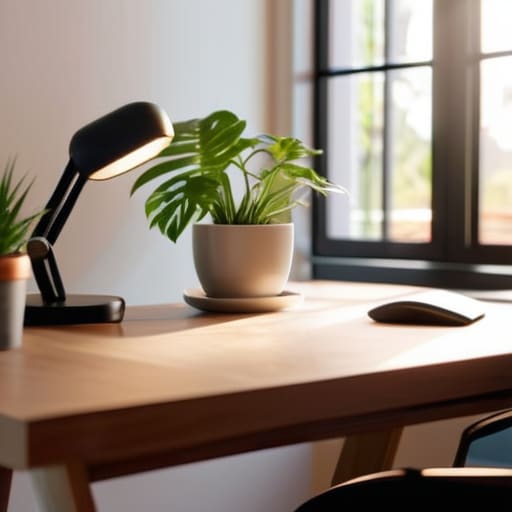
Most people think they need a studio-grade ring light and a mess of cables to look decent, but that’s just adding friction. A truly effective professional video call lighting setup relies on one thing: direction. If you’re sitting with a window behind you, you’re just a dark silhouette. Instead, face the light source. Whether it’s a window or a simple desk lamp, let the light hit your face directly. This is the quickest way to achieve the best webcam settings for clarity without spending a dime on gear.
Once you have the light sorted, stop worrying about high-end equipment and focus on your positioning. Position your laptop so the lens is at eye level—prop it up on a stack of books if you have to. A low camera angle for video conferencing makes you look like you’re staring up at your colleagues from a basement, which is never the vibe you want. Keep it simple: light in front, camera at eye level, and a clean space behind you. That’s all you need to remove the visual noise and actually look like a professional.
Finding Your Best Camera Angle for Video Conferencing

Most people default to the “looking down at a laptop” position, which is a recipe for a double chin and a strained neck. It feels natural for a moment, but it’s a terrible way to present yourself. To fix this, you need to bring the lens up to eye level. If you’re on a laptop, grab a couple of sturdy books or a dedicated riser to elevate the device. The goal is to have the camera looking slightly at you, rather than up your nose. This simple adjustment is one of the most effective ways of improving video call clarity without buying a single piece of expensive gear.
Once you have the height right, focus on the tilt. You don’t want the camera staring straight at your forehead, nor do you want it pointed at your chest. A slight downward tilt—just a few degrees—is usually the sweet spot. This helps create a more natural, engaging camera angle for video conferencing that mimics real-world eye contact. It keeps the focus on your face and prevents that awkward, voyeuristic feeling that happens when the angle is too low. Keep it steady, keep it level, and stop fighting your hardware.
Cutting Through the Digital Noise: Three Final Tweaks
- Audit your background for visual friction. You don’t need a professional studio; you just need to remove the distractions. If there’s a pile of laundry or a messy bookshelf behind you, it’s pulling the viewer’s eyes away from what you’re actually saying. Clear the clutter or find a neutral wall. Keep it simple.
- Optimize your audio as much as your video. I’ve sat through calls where the lighting was perfect but the person sounded like they were underwater. If you’re using your laptop’s built-in mic, you’re doing yourself a disservice. Grab a decent pair of wired earbuds or a dedicated USB mic. Clear audio is the fastest way to command authority in a digital space.
- Minimize your digital distractions to stay present. It’s hard to look engaged when you’re clearly reading emails on a second monitor. Close your unnecessary tabs, put your phone face down, and actually look at the lens when you speak. If you aren’t mentally present, no amount of high-def video will make you look professional.
The Bottom Line
Stop chasing expensive gear; focus on the basics of light and angle to remove the visual friction that distracts from your message.
Build a repeatable, low-maintenance setup so you can spend your mental energy on the conversation rather than fighting your technology.
The Core Principle of Video Presence
“Don’t get lost in the pursuit of a studio-grade production; your goal isn’t to look like a YouTuber, it’s to remove the visual friction that distracts people from what you’re actually saying.”
Gregory Scott Miller
Less Friction, More Presence
At the end of the day, looking better on camera isn’t about buying a professional studio kit or chasing the latest tech trends. It’s about the fundamentals: getting your light source right, positioning your camera at eye level, and clearing away the visual noise that distracts from your message. When you stop fighting your environment and start optimizing your setup, you remove the tiny layers of friction that drain your energy before a meeting even begins. It’s about creating a stable, reliable system that works every single time you hit “Join.”
Don’t let the pursuit of perfection become another chore on your to-do list. My goal isn’t to turn you into a full-time content creator; it’s to help you reclaim your mental space so you can show up as your best self. Once these systems are in place, you can stop worrying about how you look and start focusing on the actual conversation. That is where the real value lies. Now, go clear that desk and get back to what matters.