
I was sitting in my workshop last Tuesday, trying to pull up a quick schematic for a vintage plane I was restoring, when the spinning loading icon appeared on my screen for the third time in ten minutes. It’s infuriating. Most people think the answer to a lagging connection is to drop another hundred bucks on a flashy, “next-gen” router that promises speeds it can’t actually deliver in a real-world home. But honestly, if you’re looking for how to fix slow wifi, the solution usually isn’t a more expensive gadget; it’s about understanding the physics of your own space and removing the unnecessary friction that’s killing your signal.
I’m not here to sell you on complex tech jargon or subscription-based “optimization” services. My goal is to give you a few pragmatic, systems-based adjustments that actually work in a lived-in house. We’re going to look at placement, interference, and hardware bottlenecks to strip away the frustration so your tech finally serves you instead of becoming another chore on your to-do list.
Table of Contents
Mastering Wifi Router Placement Tips for Real World Flow
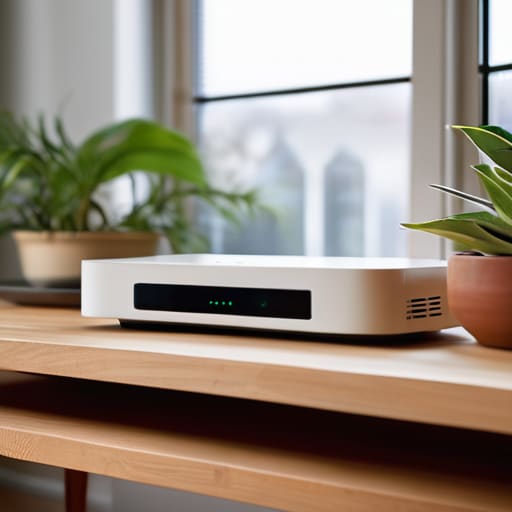
Most people treat their router like an afterthought, tucking it away in a corner cabinet or behind a stack of books just to keep the clutter down. That’s a mistake. If you want to actually reduce wireless interference, you need to treat your router like a light fixture—it works best when it’s elevated and central. I’ve learned through trial and error that moving a router from a low shelf to a high, open surface can do more for your connection than any expensive hardware upgrade.
When you’re looking at your setup, pay attention to the physical obstacles. Thick walls, mirrors, and even large appliances act like shields that kill your signal. If you find yourself struggling with dead zones, you’ll eventually have to decide between a wifi extender vs mesh system; for most modern homes, a mesh system is the better long-term play for consistent coverage. Just remember: the goal isn’t to add more tech, it’s to place what you already have where it actually makes sense for your daily flow.
Optimizing Network Bandwidth Without the Complex Gadgets
Most people think they need to drop a few hundred dollars on a shiny new router to see a difference, but that’s usually a mistake. Before you start shopping, you need to understand the physics of what’s happening in your house. A major culprit is often just a crowded airwave. If you’re still using the same channel your neighbor is using, you’re fighting for scraps. I always suggest running a quick internet speed test troubleshooting session in different rooms to see where the drop-off actually happens. Once you see the pattern, you can start making smarter adjustments.
One of the simplest ways to reclaim your speed is by managing your wifi frequency bands 2.4GHz vs 5GHz more effectively. Think of the 2.4GHz band like a heavy-duty truck: it travels far and through walls easily, but it’s slow and prone to interference from microwaves or baby monitors. The 5GHz band is more like a sports car—it’s incredibly fast but doesn’t handle obstacles well. If you’re sitting in the office trying to take a video call, get on the 5GHz band. Use the 2.4GHz for your smart lightbulbs and garden sensors. It’s about putting the right tool in the right place.
Three Low-Friction Fixes for a Faster Connection
- Audit your device list and kick the dead weight. I’ve found that old tablets or smart devices that aren’t even being used are often still hogging bandwidth in the background. Log into your router’s admin panel, see what’s actually pulling data, and disconnect anything that doesn’t need to be online.
- Switch to the 5GHz band for your high-priority gear. Most people leave everything on the 2.4GHz frequency because it reaches further, but it’s crowded and slow. Move your laptop and streaming devices to the 5GHz band to clear out the digital noise; it’s a simple way to reduce latency without buying a single new piece of hardware.
- Schedule a weekly reboot to clear the cache. It sounds like a cliché, but even the best systems need a reset. Setting your router to power cycle once a week—ideally in the middle of the night—clears out memory leaks and minor software glitches that build up over time, keeping your connection steady and predictable.
The Bottom Line: Less Friction, Better Connection
Stop chasing expensive hardware upgrades until you’ve optimized your physical setup; moving your router to a central, elevated spot often does more for your signal than a new piece of tech ever could.
Audit your network’s “background noise” by disconnecting devices that don’t need constant access, ensuring your bandwidth is reserved for the tools that actually drive your productivity.
The Core Philosophy of Connectivity
“We spend too much time chasing the latest high-end hardware when the real solution is usually just removing the physical and digital friction we’ve let pile up around us. If your Wi-Fi is failing, stop looking for a new gadget and start looking at your environment; your tech should be a silent utility, not a constant source of frustration.”
Gregory Scott Miller
Strip Away the Friction
At the end of the day, fixing your connection isn’t about buying the flashiest new mesh system or diving into complex network configurations. It’s about applying a bit of systems thinking to your space. By moving your router to a central, unobstructed location and managing your bandwidth to prioritize what actually matters, you’ve already done the heavy lifting. You don’t need a degree in computer science to realize that better placement and smarter usage almost always beat out expensive hardware. Focus on these foundational adjustments first, and you’ll likely find that most of your connectivity headaches simply vanish.
My goal isn’t to turn your home into a high-tech laboratory; it’s to make sure your tech stays in the background so you can live your life. When your tools work seamlessly, you stop noticing them, and that’s exactly where we want to be. Stop letting a spinning loading icon dictate your pace. Take these steps, reclaim your digital space, and get back to focusing on what truly matters. Your environment should work for you, not the other way around.